 English
 Azərbaycan
 Čeština
 Español
 Français
 Ελληνικά
 हिन्दी
 Indonesia
 Italiano
 Português
 Русский (др. страны)
 Русский (Россия)
 Türkçe
 Українська
 العربية
 简体中文
简体中文
 繁體中文
繁體中文
 日本語
日本語
 한국어
한국어
 Қазақ
Қазақ
Authorization is a required step to start using NumBuster. It confirms your right to manage the phone number and ensures the secure use of all app features. This process protects your data and allows the service to accurately identify phone numbers and display the necessary information during calls.
Available Authorization Methods
In NumBuster for iOS, you can authorize using the following messengers:
- Telegram
- Viber
📌 Make sure you are already logged into your chosen messenger and have verified your phone number before starting the authorization process.
How to Complete Authorization
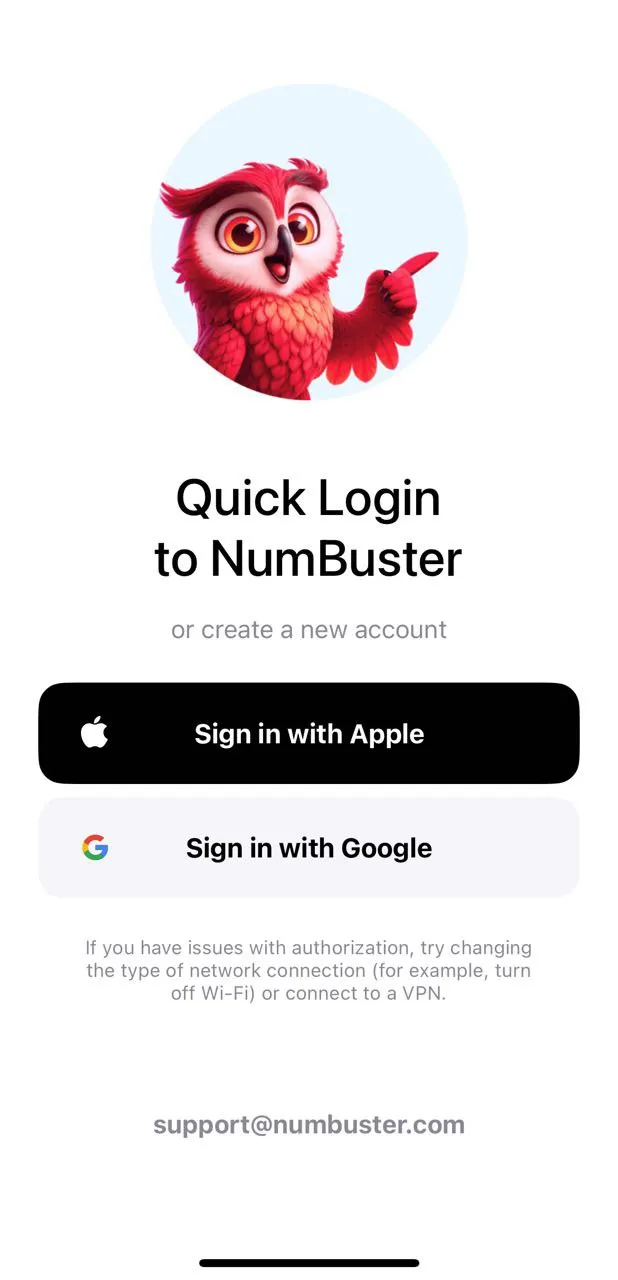
1. Open the NumBuster App
The quick authorization screen will appear during the first launch. Choose your preferred method.
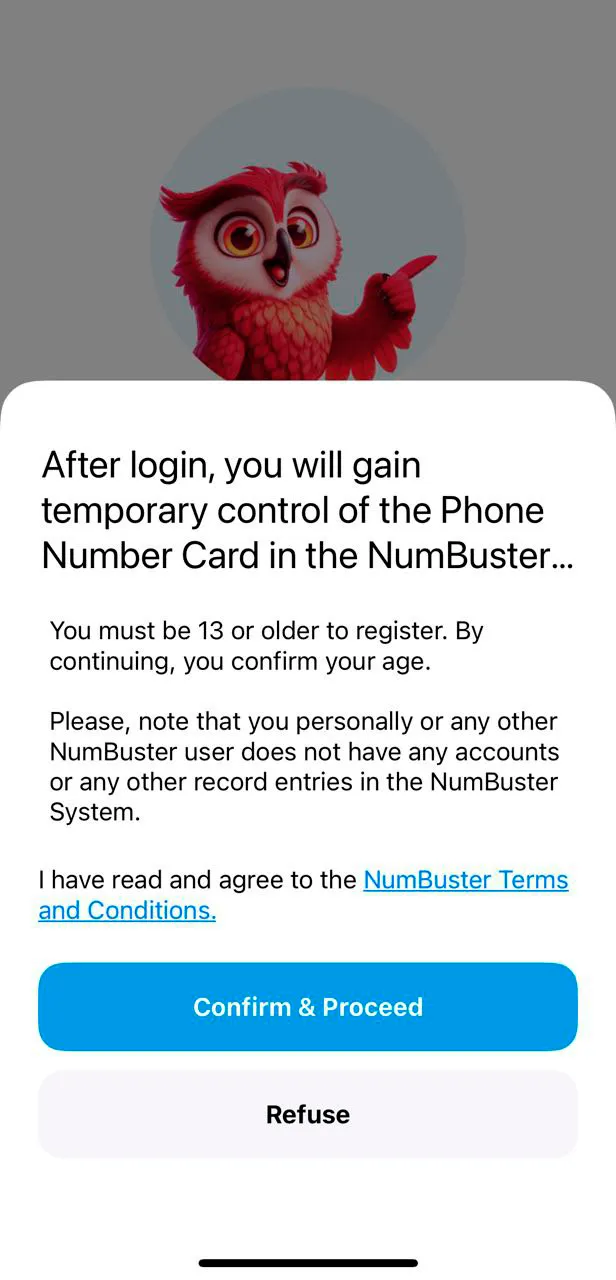
2. Review the Terms of Use
Tap Confirm and Continue to agree to the Terms of Use.
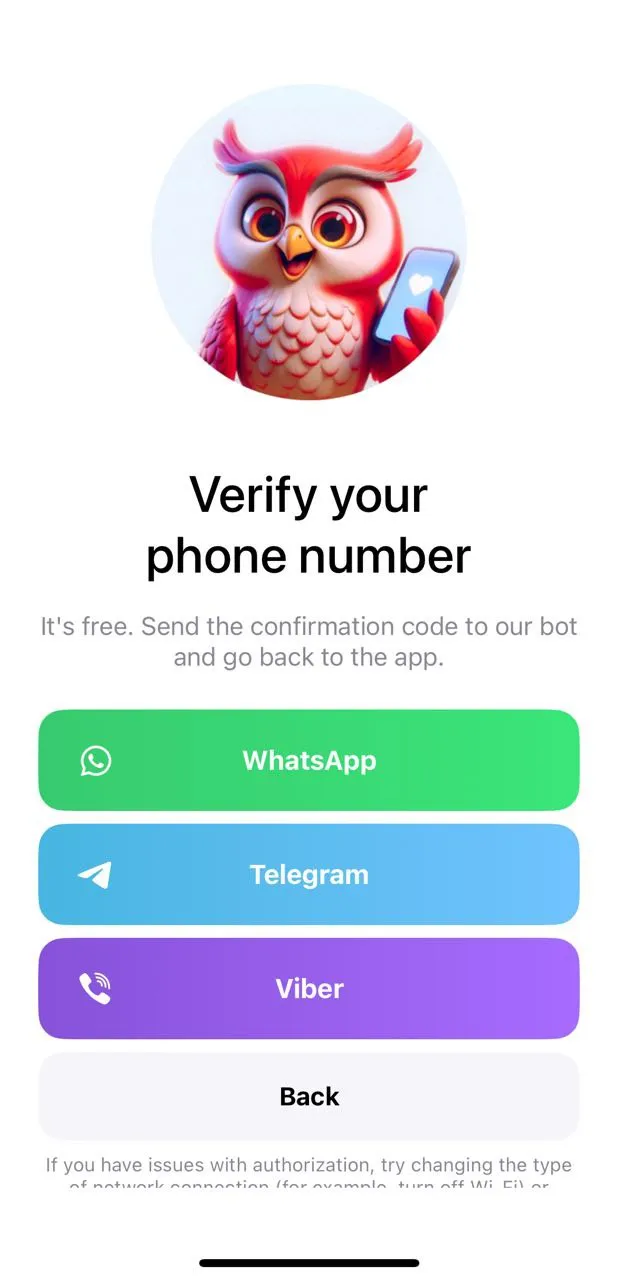
3. Select a Messenger to Verify Your Phone Number
The following options will be available on the messenger selection screen:
- Telegram
- Viber
This step is required to confirm that you are the owner of the phone number.
✅ Authorization via WhatsApp
When authorizing via WhatsApp, you will be redirected to the official NumBuster bot.
The bot will ask you to send an automatically generated message to verify your phone number. Tap the button to send it.
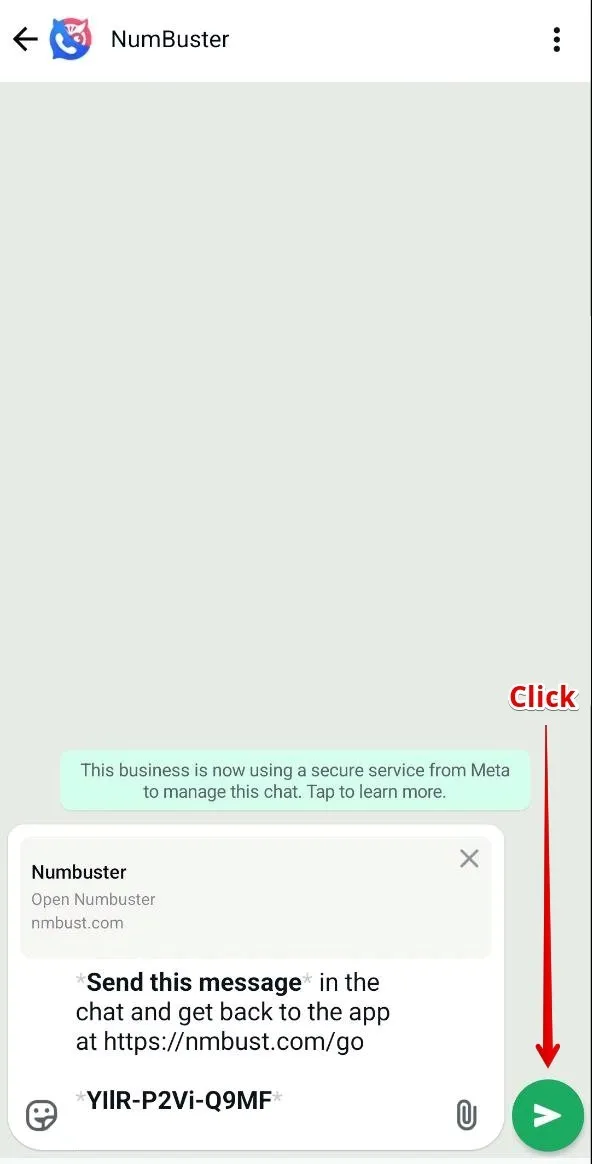
Afterward, return to the app using the link provided by the bot or switch back manually. Your authorization will be complete, and you can begin using the app.
✅ Authorization via Telegram
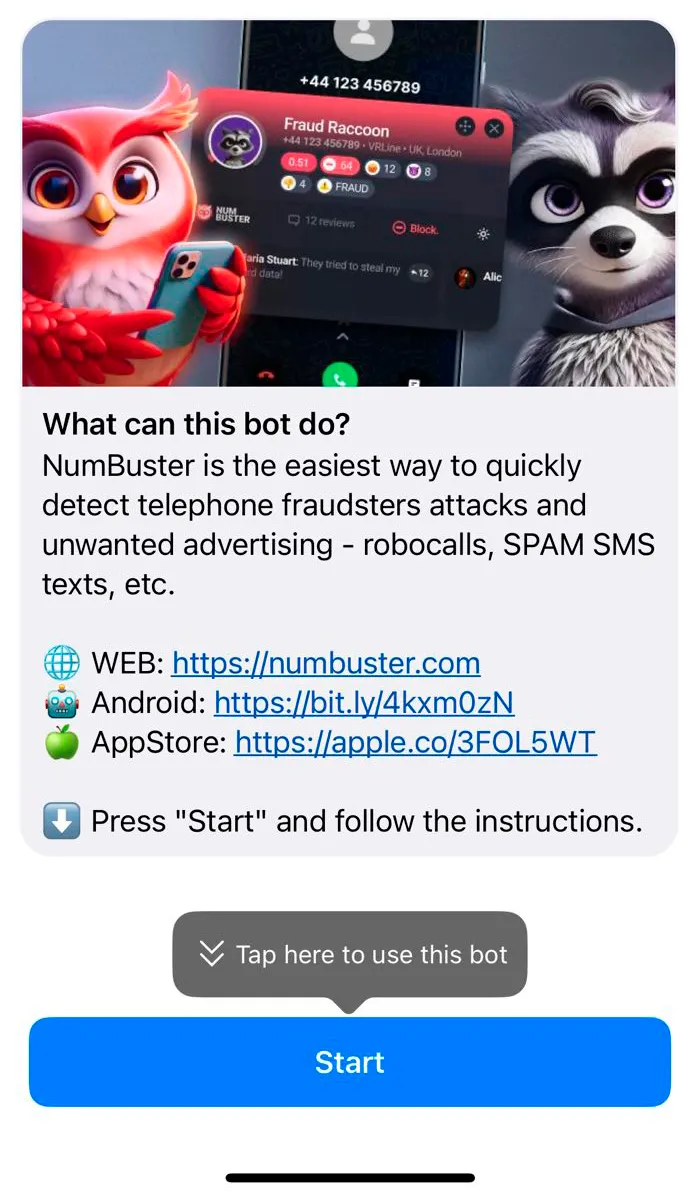
When authorizing via Telegram, you will be redirected to the official NumBuster bot. The bot will ask you to confirm that you are the user of the specified phone number:
Tap Start to launch the NumBuster bot.
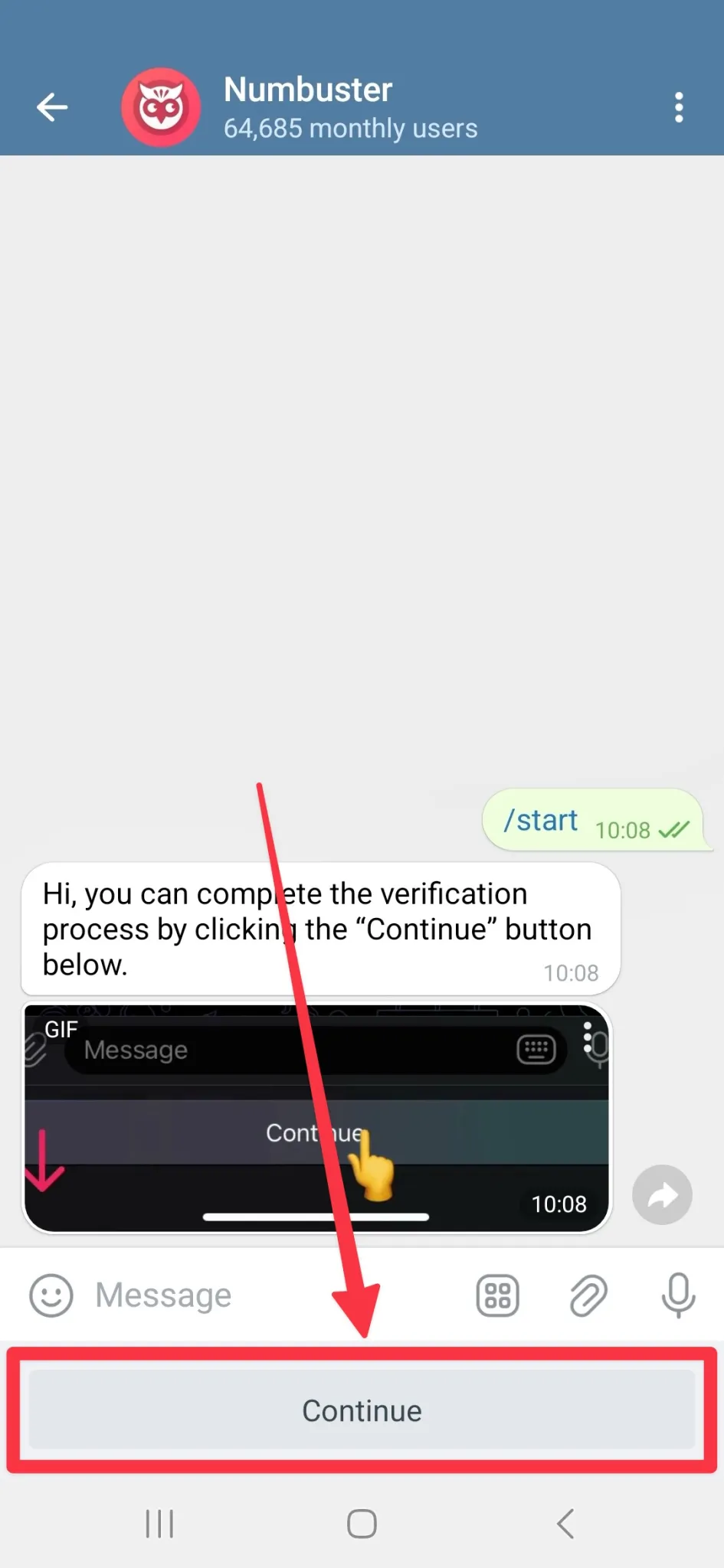
Tap Continue at the bottom of the screen to verify your phone number.
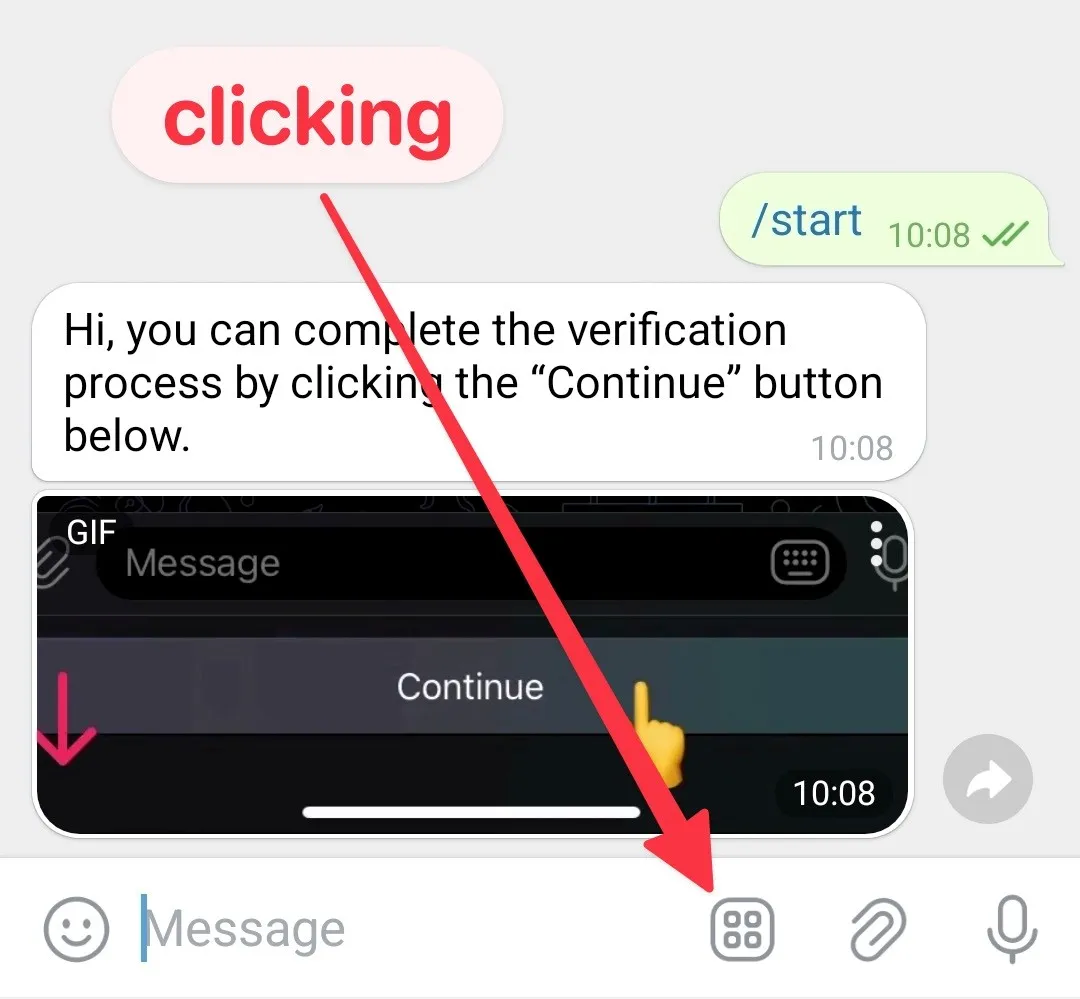
⚠️ If the Continue button is not visible, open it using the menu icon in the chat.
Verify the phone number and return to the app via the bot’s link or switch back manually. Authorization will then be finished, allowing you to use NumBuster.
✅ Authorization via Viber
When authorizing via Viber, you will be redirected to the official NumBuster bot.
The bot will ask you to verify your phone number by tapping Continue in the message.
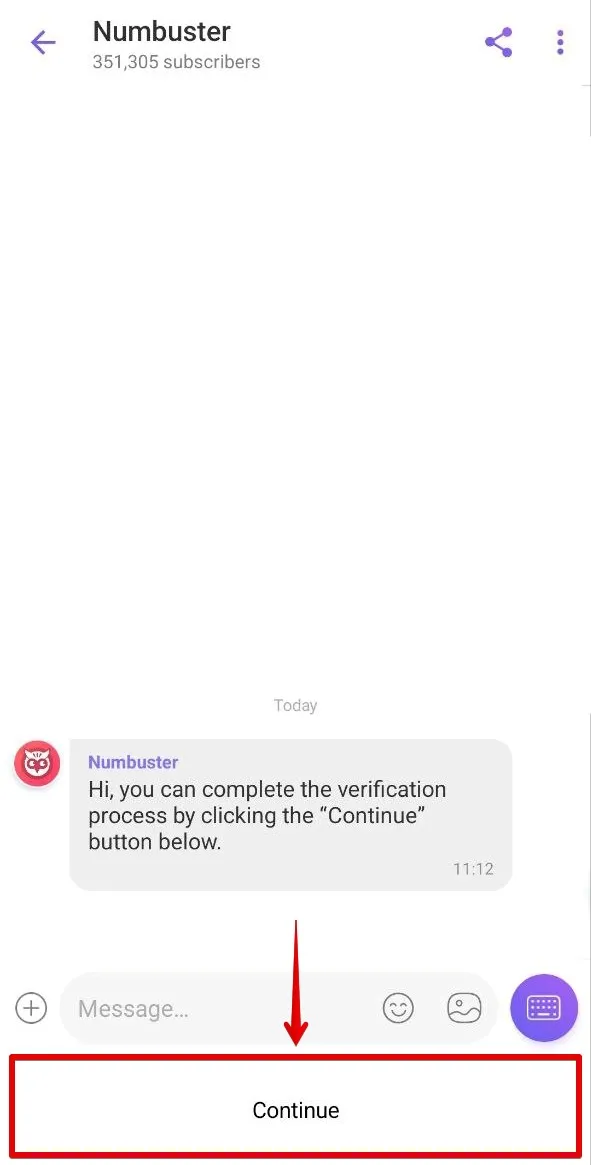
Once verified, return to the app using the bot’s link or switch back manually. Authorization will be completed, and you may proceed to use the app.
Authorization Security
NumBuster does not access your contacts, messages, or any other sensitive information within your messenger. The app only views your phone number, display name, username, and profile picture.
✅ Logging Out
You can log out of your profile in the NumBuster app at any time.
How to Log Out
- Open the NumBuster app on your device
- Find and go to section Settings
- Tap Sign Out of Profile
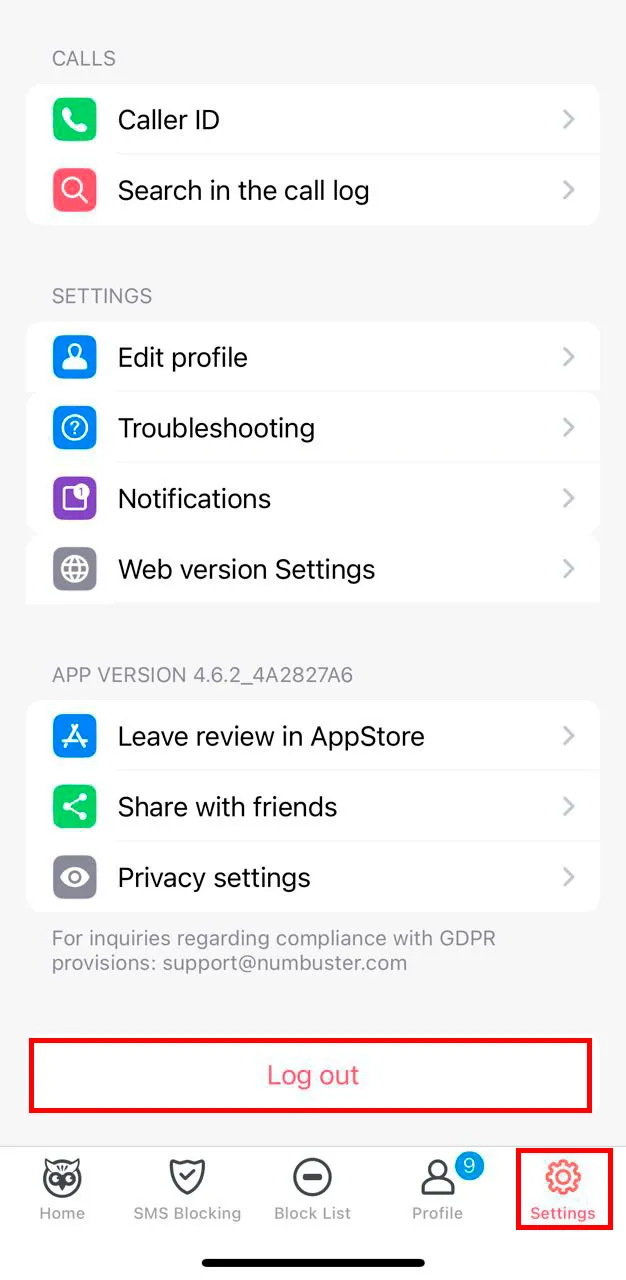
After logging out, you will need to complete the authorization process again to sign back in.
 Functions


 Tariffs
 Help
Help