 Čeština
 Azərbaycan
 English
 Español
 Français
 Ελληνικά
 हिन्दी
 Indonesia
 Italiano
 Português
 Русский (др. страны)
 Русский (Россия)
 Türkçe
 Українська
 العربية
 简体中文
简体中文
 繁體中文
繁體中文
 日本語
日本語
 한국어
한국어
 Қазақ
Қазақ
With NumBuster installed, you can receive information about incoming calls, identify unwanted callers, and enhance your communication security.
Via the Official NumBuster Website
- Go to numbuster.com in your browser.
- On the home page, tap the App Store icon. This will take you to the app’s official listing.
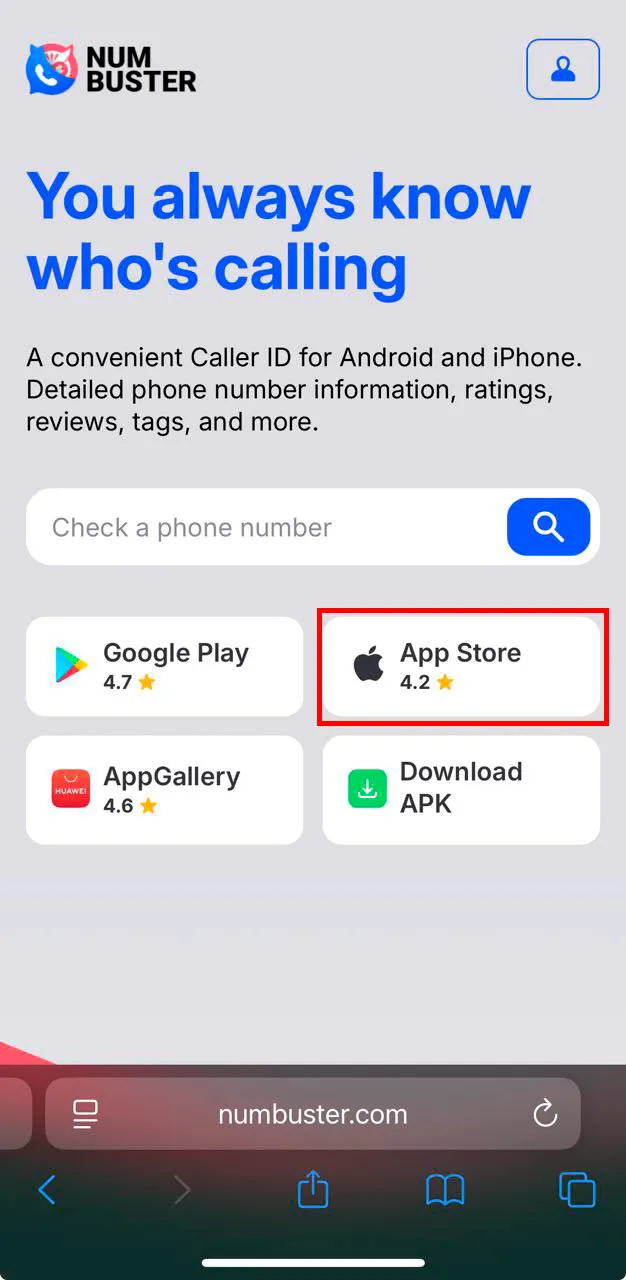
- Tap Get to start the installation.
Once the process is complete, the app icon will appear on your home screen.
Via App Store Search
- Open the App Store on your device
- Enter NumBuster in the search bar
- Locate the app in the results and tap Get
- Wait for the installation to finish and open the app from the device screen
After Installation
Upon first launch, the app will prompt you for authorization. You will need to verify your phone number via WhatsApp, Telegram, or Viber. After authorization, you will have access to your call history, number insights, and other useful features.
What to Do if the App Is Not in the App Store
In some cases, the app may be unavailable for download from the App Store. You can still use the web version of NumBuster—it works through a browser and does not require installation.
Detailed instructions are available here:
How to Install the NumBuster Web Version on iPhone.
 Funkce


 Tariffs
 Nápověda